

The best swing trading tools aren’t necessarily the ones with the most indicators. Swing trading aims to capture a price move that lasts at least 1 day and may continue for several weeks, using charts and trade rules to identify entries, manage risk, and plan exits. The right tools help you assess price action and monitor a setup without confusing more signals with better decisions.
Swing trading appeals to people who want to capture price moves without buying and selling within the same day. But charting platforms, indicators, alerts, and setup scanners each serve a different purpose. This guide explains how swing trading works, compares the main tool types and about nine options across practical criteria, and shows how to match tools to your workflow. You’ll also learn what to look for in a setup, how alerts can support monitoring, and how charting tools fit into a consistent trading process.
Key Takeaways
- Use screeners to narrow the field to actively traded stocks and ETFs, then build a watchlist and study each candidate’s price behavior.
- Map an entry zone, profit objective, and protective stop before taking a setup; consistent risk rules help keep decisions structured.
- Use indicators to add context to price action, not as standalone signals. The right charting platform should make your analysis clear and repeatable.
- Set alerts around specific price levels or conditions so you can focus on meaningful changes instead of watching every chart continuously.
- Compare charting, scanning, alert, and setup tools by the role each plays in your workflow, then choose a combination that supports your process.
What Is Swing Trading?
Swing trading seeks to capture a price move lasting at least 1 day and sometimes several weeks. Unlike day trading, which opens and closes positions within the same day, swing trading holds through short-term price movement. One approach waits for the market to confirm a change in direction, then trades with developing momentum.
For stocks and ETFs, combine a screener, charting platform, and price alerts. For options, pair analysis of the underlying stock or ETF with an options-activity scanner. Unusual options activity with expirations 2 to 8 weeks out can add conviction to a swing setup, but it doesn’t replace a defined trade plan.
A stock screener narrows a broad market to candidates that match selected conditions. Start by filtering for actively traded stocks and ETFs, then scan for price movement or a developing trend. Real-time scanning updates candidates as market conditions change; delayed data may show a move only after it begins. Check data timing before acting on a signal.
Screening finds candidates, not ready-made trades. Add promising names to a daily watchlist and study their price action. For example, a stock that repeatedly moves within a broad, defined channel may offer clearer reference points than one with erratic swings. Keep the watchlist focused on instruments you can monitor and understand.
Curated swing-trading stock picks can shorten the search by highlighting candidates with potential setups. Treat each pick as a starting point: inspect the chart, identify the condition that would support an entry, and decide what would invalidate the idea. This turns a list of tickers into a repeatable review process.
Compare tool types by the task each performs:
| Tool option | Primary use | Best fit | Limitation |
|---|---|---|---|
| Stock screener | Filters candidates | Building a focused watchlist | Doesn’t confirm a trade |
| Real-time scanner | Tracks changing conditions | Spotting active moves | Signals need chart review |
| Charting platform | Shows price structure | Assessing trend and channels | Interpretation remains necessary |
| Options-activity scanner | Surfaces options activity | Adding context to options setups | Activity alone isn’t a complete thesis |
| Curated setup feed | Organizes potential trade ideas | Reducing manual candidate searches | Each idea needs independent review |
Choose tools that take you from screening to chart review and alerts, without treating any scan as an automatic entry signal.
Automated tools can miss sudden price changes or flag activity that never develops into a valid setup. Confirm each signal against the chart and your trade criteria before acting.
Trade setups with buy zones, profit goals, and stop-losses
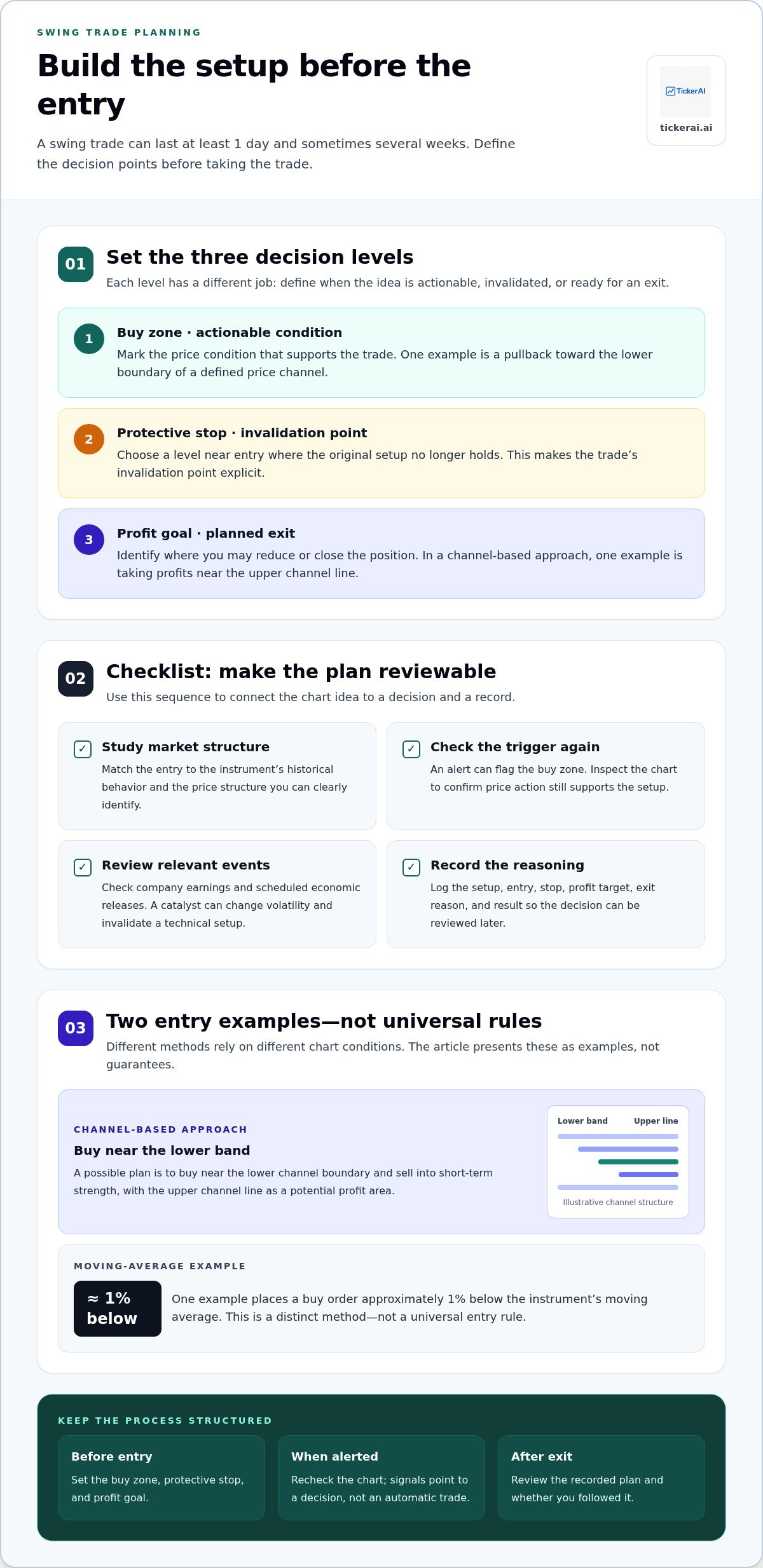
A swing setup needs a trigger, an invalidation point, and an exit plan. The buy zone defines where the trade idea becomes actionable. The protective stop marks where the thesis no longer holds, and the profit goal identifies where to reduce or close the position. Set these levels before entry and record your reasoning so you can review the decision later.
For U.S. traders, a useful trading platform combines clear charts, configurable alerts, and dependable order tools. New traders benefit from a straightforward interface that makes order types and account positions easy to understand. Choose platform features to suit your workflow, and keep setup analysis separate from brokerage execution decisions.
Build the setup from market structure. One approach buys near the lower band of a price channel and sells into short-term strength. Another example places a buy order approximately 1% below the instrument’s moving average. These are distinct methods, not universal rules. Match the entry to the instrument’s historical behavior, then define a protective stop reasonably close to entry.
- Mark the buy zone: Identify the price condition that supports the trade, such as a pullback toward a channel boundary.
- Set the stop: Place a protective level near entry, where the original setup is invalidated.
- Define the profit goal: Consider taking profits near the upper channel line when using a channel-based approach.
- Record the plan: Log the entry rationale, exit levels, and result for later review.
Signals and alerts should point to a decision, not make it automatically. Set an alert for the buy zone, then inspect whether price action still supports the setup. If market conditions change, update the analysis and recommendation before entry. Unusual options activity with expirations 2 to 8 weeks out can add conviction, but it does not replace chart review or risk controls.
News calendars flag company events such as earnings, while economic calendars highlight scheduled releases that can shift broader market expectations. Review relevant dates before opening or holding a position. A catalyst can change volatility and invalidate a technical setup, so connect each calendar alert to a specific action: reassess, reduce exposure, or keep the original plan.
Measure performance with a trade journal, not memory. Record the setup type, entry, stop, profit target, and exit reason for every trade. Review whether you followed your plan and whether results differ across channel trades, moving-average entries, or catalyst periods. Consistent records reveal which rules need refinement.
For a more structured starting point, review curated swing-trade setups and compare each idea against your own entry, stop, and profit criteria.
Charting platforms and technical indicators
A charting platform should make price structure easy to inspect and compare. Start with candlesticks, volume, and a moving average. Candlesticks show the open, high, low, and close for each interval; volume adds context about trading activity. A moving average smooths price data, helping you see whether short-term action aligns with the broader trend. Keep the chart readable, and add an indicator only when it answers a specific question.
For multi-timeframe analysis, review the same stock or ETF on a broader chart and an entry-focused chart. First, assess the broader direction and mark visible support or resistance. Then inspect the shorter view for a possible trigger and a clear invalidation level. If the entry chart suggests strength but the broader chart shows persistent weakness, pause and reassess. This sequence separates market context from entry timing.
Moving averages can help organize that review, but price behavior matters more than a line alone. In one swing-trading example, an instrument returned to its moving average 3 times. It penetrated that average by an average of 1.5% of its price. Such observations can help a trader assess how the instrument behaves around the average. They don’t establish a universal entry rule; evaluate the pattern against the chart and the intended setup.
- Trend: Compare price with a moving average to check whether direction is aligned.
- Momentum: Use a momentum indicator to assess whether a move is strengthening or fading.
- Participation: Compare volume during advances and pullbacks to add context to price action.
- Levels: Mark prior turning points, then see whether price respects or breaks them.
Overlapping indicators can create clutter instead of insight. For example, several momentum indicators may show similar information in different formats. Choose one tool for trend, one for momentum, and volume for participation. Then define what would change your view. Saved chart layouts can help keep this process consistent across stocks and ETFs.
Compare platforms by chart clarity, drawing tools, saved layouts, indicator customization, and data presentation. A useful platform lets you switch timeframes without losing marked levels. Test a sample chart by marking the broader trend, a potential entry area, and the point that would invalidate the idea. If those elements are difficult to see, simplify the layout before taking action.
The best swing trading tools support a repeatable analysis process, not a screen crowded with signals. Keep a short written rule beside each indicator. For example, use a moving average to assess direction, then confirm the setup through price structure. Review completed charts periodically and remove indicators that don’t improve your decisions.
The best swing trading platform makes charts clear and supports drawing tools, saved layouts, customizable indicators, and easy movement between timeframes. Test it by marking the broader trend, a potential entry area, and an invalidation point. Choose a platform that keeps those elements easy to see.
Real-time data and instant alerts
Real-time data helps you assess whether a price condition is developing now. Before relying on a chart, inspect its timestamp, session setting, and update behavior. For example, compare a stock’s latest price with its displayed candle. A stale quote can make a breakout appear active after the move has changed. Data timing matters most when an alert depends on a specific price level.
Alerts turn a written plan into a monitored workflow. Set them around conditions that need attention, such as a stock approaching marked support or crossing resistance. An advanced alert may also use an indicator condition, but its trigger should remain easy to explain. “Notify me if price crosses this level” is clearer than a stack of overlapping rules.
- Price alert: Flag a move toward a planned entry or invalidation level.
- Indicator alert: Notify when a chosen indicator reaches a defined condition.
- Volume alert: Highlight unusual activity for chart review, not automatic entry.
- Watchlist alert: Track selected stocks or ETFs without monitoring every chart.
Build alerts in sequence. First, identify the setup condition on the chart. Next, set an alert at the level where you need to reassess. Then decide what follows: review the chart, update the thesis, or take no action. For example, a resistance alert can prompt you to check price behavior and volume. The alert itself doesn’t confirm a trade.
Real-time feeds and instant notifications have limits. A fast price move can cross several levels before you review the message. A gap can open beyond a planned alert price and change the original setup. Notifications can also arrive while you’re away from your device. Keep a stop and money-management rules in your plan; an alert is a monitoring aid, not a substitute for risk controls.
Keep your alert list selective. If every small price change triggers a notification, important signals compete with routine movement. Review each alert and remove rules that no longer match the chart. For instance, after a stock breaks below the support behind a bullish setup, delete alerts for that thesis and reassess the chart independently.
Compare alert tools by trigger flexibility, delivery options, watchlist integration, and clarity of the underlying data. Test each rule against a chart before relying on it. A useful alert tells you what changed, which instrument triggered it, and which level was reached. Smart watchlists and alerts can help organize monitoring, while your analysis determines whether the signal still fits your plan.
Technical analysis and multi-timeframe charting
Multi-timeframe analysis separates market context from entry timing. Start with a broader chart to assess direction, major turning points, and price structure. Then inspect a closer view for a potential trigger. For example, a stock may approach support on the broader chart while its shorter chart shows whether selling pressure is easing. The second view refines the question; it doesn’t replace the first.
Use the same instrument and comparable price data across chart views. Otherwise, a trend may look different because of inconsistent settings rather than changing price action. Mark important levels on the broader chart first, then carry those references into the closer view. A clear chart makes it easier to distinguish a pullback within a trend from a break in the structure.
Moving averages can help frame that comparison. In a swing-trading example, a stock or ETF returned to its moving average 3 times. The instrument penetrated its moving average by an average of 1.5% of its price. These observations describe that example, not a general entry rule. Review how the instrument behaves around its own moving average before using it in a setup.
Use a consistent sequence for each chart review:
- Read the broader view: Identify the prevailing direction and mark visible support and resistance.
- Inspect the closer view: Look for price action that supports or contradicts the broader setup.
- Define the decision point: Note what price behavior would strengthen the thesis and what would invalidate it.
- Record the analysis: Save the chart with your levels and rationale for later comparison.
Technical analysis is more useful when each indicator has a defined job. A moving average can help assess direction, volume can show whether participation changes during a move, and support and resistance can frame where price previously turned. Avoid stacking tools that answer the same question. If an indicator conflicts with visible price structure, identify why before acting.
Charting software also shapes your workflow. Compare saved layouts, drawing tools, timeframe controls, and the ability to revisit marked charts. A subscription may offer additional chart features, but more functions don’t automatically improve analysis. Test a simple layout on a stock and an ETF. Check whether you can see the broader trend, key levels, and entry context without switching through cluttered panels.
Use multi-timeframe review to sharpen context, not to manufacture agreement between charts. If the broader and closer views conflict, record that conflict and wait for price action to clarify the setup. Explore AI-supported swing trade analysis as another way to organize candidates for chart review.
TickerAI: AI Stock Opportunity Discovery
TickerAI brings AI Stock Opportunity Discovery into the research workflow for traders who want help identifying candidates. Its Swing Trade Setups offer ideas to assess alongside personal chart analysis and risk rules. Smart Watchlist & Alerts help organize names for continued monitoring, while Long-Term Investment Ideas serve readers researching beyond shorter-term trades. Turn to these tools when you want a more structured way to surface opportunities and track selected stocks, then apply your own criteria before making decisions. They complement charting and analysis rather than replacing them. Explore the available tools at your own pace. Visit tickerai.ai to learn more.
Build a Trading Workflow You Can Repeat
Turn tool selection into a consistent review process. Decide which signals deserve attention, how you’ll evaluate them, and what evidence would change your view. Keep the workflow simple enough to apply across different market conditions. The best swing trading tools fit this process and help you act with clarity, rather than adding noise to every decision.
TickerAI brings together AI Stock Opportunity Discovery, Swing Trade Setups, and Smart Watchlist & Alerts for traders organizing research and monitoring candidates. Use these offerings to support your own analysis and decide whether they complement your workflow.
Contact TickerAI to discuss your trading tools and explore how its platform fits your research routine. Keep refining your process, stay deliberate with each decision, and move forward with a workflow built around your own rules.
Frequently Asked Questions
How Does Pricing Compare and Who Should Use Which Platform?
Choose a platform based on the functions you’ll use, not the length of its feature list. If you review charts manually, you may prioritize drawing tools and saved layouts. If you track a larger watchlist, scanning and alert controls may matter more. Costs vary with platform features, market-data access, and subscription structure. Compare those components separately, then decide whether each supports a regular part of your workflow.
What Do Swing Traders Actually Need in a Platform?
A swing trader needs a dependable way to review instruments, monitor relevant conditions, and record decisions. For example, a watchlist should let you group candidates by setup type, while chart notes can preserve why a ticker qualified. Alerts should clearly identify the instrument and trigger condition. Before adopting a platform, test a complete research routine, from finding a candidate to reviewing its chart and documenting your decision.
Which Platforms Are Best for Technical Analysis and Charting?
The best charting platform presents price, volume, and marked levels clearly across your chosen timeframes. Compare chart readability, drawing controls, saved layouts, and how easily you can revisit prior analysis. Test the same ticker on a broad view and a closer view. If levels or annotations are difficult to track as you switch views, the interface may slow your review process.
Which Platforms Offer the Best Scanning and Signal Tools?
Strong scanning tools let you filter instruments using conditions tied to your method, then inspect candidates instead of treating scan results as trade instructions. Compare filter customization, watchlist integration, alert triggers, and how quickly results update. For example, a scan can identify stocks near a price level you monitor. That signal prompts a review of context; it doesn’t prove the setup is valid.
What Features Should the Best Swing Trading Tools Include?
Useful swing-trading tools connect research, monitoring, and review. Look for chart views that match your analysis, screening conditions you can explain, alerts tied to specific decisions, and a way to save notes. The best swing trading tools also fit your trading cadence. If you review charts once daily, a system built around constant notifications may add noise rather than improve your process.
Which Stock Screeners Are Best for Finding Swing Trade Setups?
Choose a screener that lets you define candidates using criteria relevant to your setup, such as trading activity, price behavior, or trend context. Test it against stocks you already understand. Check whether the resulting list is focused enough for individual chart review. A screener that returns many loosely matched names can create extra work; refine its conditions until the results fit your research routine.
What Are the Best Charting Tools and Technical Indicators for Swing Trading?
Start with a clean candlestick chart, volume, and a small set of indicators tied to clear questions. A moving average can help assess direction; a momentum indicator can help evaluate whether price movement is strengthening or fading. Give each tool a distinct purpose. Compare platforms by how easily they display these elements together and let you mark levels without obscuring price action.
How Much Do Popular Swing Trading Platforms and Data Subscriptions Cost?
Costs depend on a platform’s capabilities, data access, and subscription structure. A basic charting workflow may need different features from one that includes advanced scanning or specialized market data. Compare the exact functions in each tier, including what data is included and whether additional tools cost extra. For any subscription, weigh the ongoing cost against the tasks it supports rather than paying for unused features.


